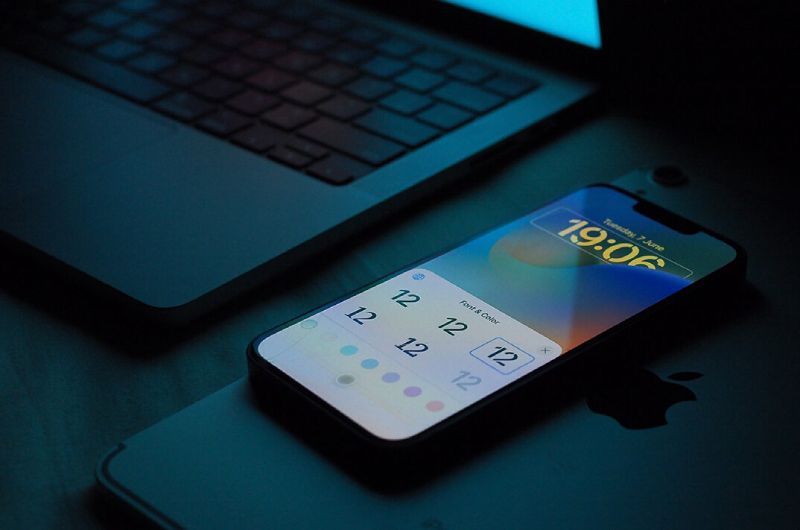
With the introduction of powerful cloud technology, it is now easier than ever to receive real-time updates and communicate across physical boundaries or time zones. Furthermore, smartphones and tablets are proven to be great tools for small business owners, allowing them to manage operations more effectively.
If you want to use your mobile device to optimize your business operations, you’ve come to the perfect place. Continue reading to learn key techniques for running your business smoothly from your smartphone or tablet. Business tips & tricks.
Do you see a paperless, mobile office? Stop waiting till you have access to a typical scanner. The iPhone’s Notes app can automatically scan papers, straightening and cropping them before saving them as PDF files.
This is how you do it:
Keep in mind that your smartphone’s resources are also limited, and you will need to clean out storage on the iPhone from time to time. The more you use your iPhone, the more frequently you should wipe its memory. But how can you free up iPhone storage with no effort? Try CleanUp, an app that detects and removes duplicate files from your device. The phone cleaning app’s key advantage is that it deletes duplicate images rather than crucial personal info. Video compression can also help to free up a lot of RAM.
Mobile apps transform inventory management by giving real-time monitoring and alerts on stock levels. You’ll know right away whether you’re running low or have surplus inventory.
Another advantage of mobile apps is their capacity to automate supply orders, which simplifies the restocking process. For example, the app can place orders automatically when inventory falls below a specified level.
Mobile technology’s main feature is its capacity to scan barcodes. To add new items to your inventory, just scan them with your smartphone, allowing you to easily trace their progress through the supply chain.
The simplest approach to organize receipts and track costs is to take a picture of your receipt with your smartphone just after making a purchase. Wave’s receipt feature uses OCR technology to automatically track your costs.
Consider documenting expenses as they occur to detect spending patterns and make cuts where necessary. Some apps integrate with your bank accounts and credit cards to automatically update your cost tracker. Setting reminders for regular payments can help you avoid late fees, and having quick access to your financial information can help you limit your spending and manage your debt. Many banking apps also send alerts for odd activity, which can help you identify potential fraud.
A dependable technique to track financial activities is critical for any firm. Accounting apps in the App Store sync with your company’s software, allowing you to issue invoices and track payments from suppliers and vendors in real time. These programs can handle various business accounts, create visual reports for rapid overviews of liabilities, and expose unnecessary expenses. Employees may also generate invoices or prepare tax paperwork while on the go, without having to rely on their laptop computers.
Do you get business emails on your iPhone but wish you could mute them outside of work hours? Good news! You can arrange your iPhone to only notify you of personal emails.
Simply navigate to Settings > Notifications > Email. Select your work email account and turn off Allow Notifications.
Enjoy some downtime without those annoying red blobs interfering with your personal time.
Stay Organized and Meet Your Deadlines Using Task Management Apps.
Never miss a deadline again thanks to task management applications’ features such as live updates and reminders. Track your time spent on projects to increase productivity and provide clients with transparent billing.
Our top app recommendations:
Scheduling:
Time Tracking:
Task Management:
Conclusion
The iPhone can do many tasks that you would normally do manually. As you’ve noted, this covers task management, project management, expense management, and document transfer between the physical and digital worlds. And this is only a small portion of what a smartphone can achieve. However, you should hunt for apps based on the sort of activities. We are confident that there are several auxiliary services available to help you complete your job.
The top athletes in U.S. collegiate track and field will compete for national championships at… Read More
Apple today introduced Siri AI, an all-new version of Siri driven by Apple Intelligence. Designed… Read More
The FIFA World Cup has yet to officially begin, but Toronto is already preparing to… Read More
Explore custom Wonder White Marble processing for large-scale architectural projects. Achieve consistent quality, precise finishes,… Read More
Disney+ has officially confirmed its third Star Wars film and television release set to arrive… Read More
June is usually a relatively quiet period on the NFL calendar, but the 2026 offseason… Read More
