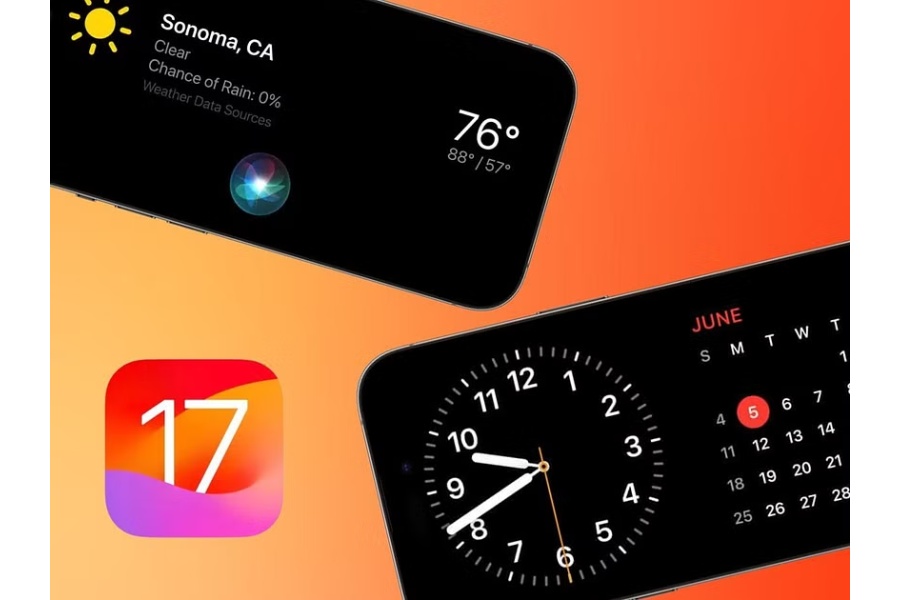
Your iPhone will pick up a new trick with iOS 17 called StandBy mode. Simple: while your iPhone is charging, StandBy converts the screen into a miniature smart display. Even though we’ve only been using it for a short while, the crew already loves it. You don’t need a top-of-the-line iPhone to use it; it is compatible with all models that are eligible for the iOS 17 update. It is especially useful with iPhone 14 Pro models because it is constantly visible because to that always-on display.
In the settings menu, you can also access several fundamental StandBy parameters.
Another useful function of StandBy that you won’t find on any settings menus is:
When you use certified MagSafe chargers in StandBy mode, the phone will remember your chosen view for each unique charger, which is another handy feature you won’t find in any settings menu. The option is yours, so you can put up a widget view in the kitchen and a cool clock face for your nightstand.
The PGA Tour Champions returns to En-Joie Golf Club for the 19th edition of the… Read More
In Dubai’s really competitive real estate scene, building a reputation that rests on trust, consistency,… Read More
Czechia and South Africa endured disappointing starts to their FIFA World Cup campaigns, with both… Read More
After missing out on AFCON 2025, Ghana will be eager to respond on football’s grandest… Read More
England and Croatia face off at Dallas Stadium in Arlington in their opening group-stage fixture… Read More
Cristiano Ronaldo’s Portugal get their 2026 World Cup campaign underway against DR Congo in Houston… Read More
