Categories: Gadget

Features of the Best Online PDF Mergers

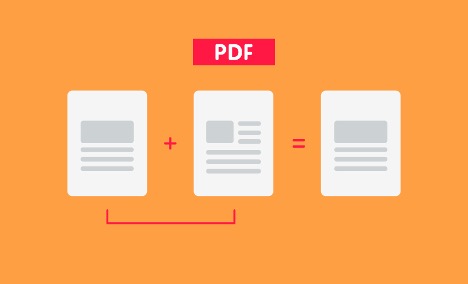
Do you know PDF has emerged as one of the most popular formats for file sharing? Thanks to its endless features that makes it such an important format with worldwide usage. People for around the world make use of PDF format to save and share information. It helps to preserve the original format and also allows you to protect your file through password. Converting and merging PDF files is very easy as well. You can find some good free tools to merge PDF files perfectly. There is nothing to worry about compatibility as well since this format works with all operating systems. Whether you have iOS or Android device, Mac or Windows, you can use this format with ease. 

While there are many PDF merging tools, you should look for the most practical and useful options on the market. Here are some features you should look for before choosing a PDF merger:

  1. Cost. You can find both free and paid tools that can help you manage your professional or personal files. Paid tools may offer you some added features, but some great online tools are also free. They can be good enough to take care of your files and merge them into a single PDF file. However, the cost is not the main thing. You need to make sure that you get a reliable and effective tool that merges your files in the right way whether it is paid or free. Of course if you find a free tool that is good enough there is no need to spend on a paid software.
  2. Reliability. One of the major things to look for in a PDF merger is reliable. You need to see if the tools merges your documents properly. Some software and applications are substandard. They may distort your file, effecting its display or may not merge the files properly. You should check that a tool that you use should not have such problems or else it would only waste your time.
  3. User-friendliness. It is important for any app or tool to be user-friendly and same goes for a PDF merger. The tool you settle for should be easy to use so that you can easily manage merging your files. An app or software that is not easy to work with will not allow you to manage day to day work with comfort. In fact, such a tool would rather waste your time.
  4. Features. Some PDF mergers may offer features that others do not have. The kind of PDF tool you should get depends on your particular need. If your need is basic and you don’t want anything else other than merging you can simply go for a basic tool. But even the basic tools have added features that makes them more valuable for users. So explore your options and go for the one that suits your needs in the best possible way.

A good PDF merger will help you in multiple ways. Find out the benefits of using PDF format so that you can make the most of it. 

Brand Buzz
Published by
Brand Buzz

Recent Posts

Mexico vs South Africa, 2026 FIFA World Cup – Preview, Prediction, Head to Head, Predicted Lineups, Team Squads and More

The 2026 World Cup has finally arrived. Co-host nation Mexico welcome South Africa for the… Read More

16 minutes ago

2026 College World Series: Full Schedule, Matchups, TV Coverage and Tournament Preview

The 2026 Men’s College World Series is set to begin on June 12 in Omaha,… Read More

4 hours ago

FIFA World Cup 2026: Complete Guide to Groups, Format, Tournament Fixtures and Schedule

The 2026 FIFA World Cup gets underway this week with a revamped format for FIFA’s… Read More

6 hours ago

2026 NCAA Outdoor Track and Field Championships: Full Schedule, Dates, Preview, Key Players and How to Watch Live

The top athletes in U.S. collegiate track and field will compete for national championships at… Read More

1 day ago

Apple Launches Siri AI With Apple Intelligence and Advanced Privacy Features

Apple today introduced Siri AI, an all-new version of Siri driven by Apple Intelligence. Designed… Read More

2 days ago

FIFA Countdown Concert Set to Launch World Cup Celebrations in Toronto, Mexico City and Los Angeles

The FIFA World Cup has yet to officially begin, but Toronto is already preparing to… Read More

2 days ago
