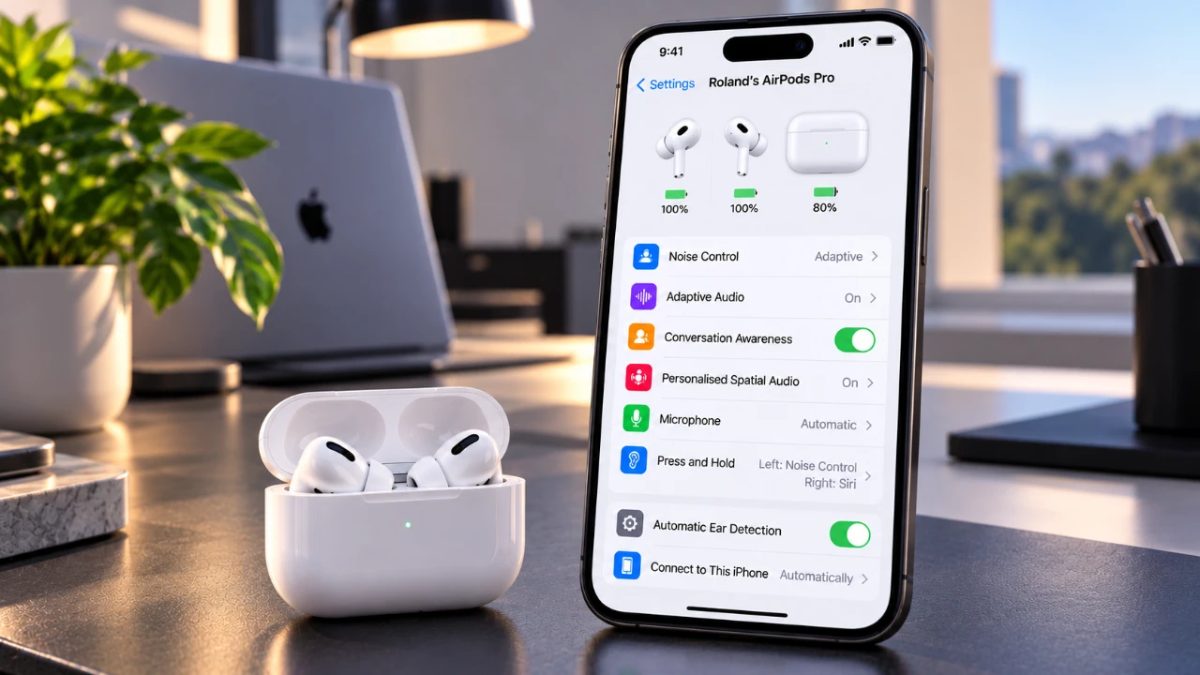
Adjusting your AirPods settings can make a noticeable difference to your listening experience by providing options that match your individual preferences. With the improvements introduced in iOS 27, Apple offers numerous customization tools covering audio personalization, gesture controls, and accessibility features.
Before customizing your AirPods, you first need to make sure they are properly connected to your iPhone. Use the following steps to get your AirPods ready:
Having a reliable connection is important for accessing the complete collection of iOS 27 features, giving you the ability to configure your AirPods according to your preferences.
AirPods include three different listening modes, with each one designed for specific surroundings and listening requirements. Knowing how these options work can help improve your overall audio experience:
You can easily move between these modes, allowing your AirPods to adapt to different listening environments.
iOS 27 provides several audio adjustment options for users who want to create a more personalized listening experience:
Together, these settings let you adjust the sound produced by your AirPods according to your preferred listening style and habits.
For people using AirPods Pro (2nd generation) or later, Apple provides advanced hearing health tools that are designed to help protect hearing without compromising audio quality:
These options can be especially useful for people who use AirPods regularly and want to pay closer attention to their hearing health.
AirPods provide multiple gesture-based controls that let you interact with your device without having to pick up your iPhone. Available options include:
These gesture controls add convenience while making it easier to operate your device without reaching for your iPhone.
Live Translation enables real-time translation to support communication between people speaking different languages. After downloading supported languages through the settings menu, you can use your AirPods to translate conversations as they happen. The feature can be useful for:
However, Live Translation availability varies according to your AirPods model, firmware version, and region.
Apple has added several accessibility options to iOS 27 to make AirPods easier to use for people with different needs. These settings include:
These customization options help make AirPods flexible and accessible to users with different physical or sensory requirements.
To make the most of your AirPods, keep these suggestions in mind:
By keeping your AirPods updated and exploring their available settings, you can continue to get an experience that is better suited to your individual preferences and needs.
While the release of iOS 27 took much of the attention, Apple also rolled out… Read More
How separate investment and philanthropic mandates can support research project readiness and durable conservation outcomes… Read More
The September 2026 full moon will reach its peak at 12:49 p.m. EDT (1649 GMT)… Read More
LAGOS, Nigeria — Cambodian digital creator and entrepreneur Song Ethong, together with creative collaborator Ros… Read More
Most founders spend their first year obsessing over product-market fit, not paperwork. That focus makes… Read More
Google’s newest Gemini app update for macOS prepares support for local iMessage integration. The development… Read More
