
Gadget
How to Customize AirPods Settings in iOS 27

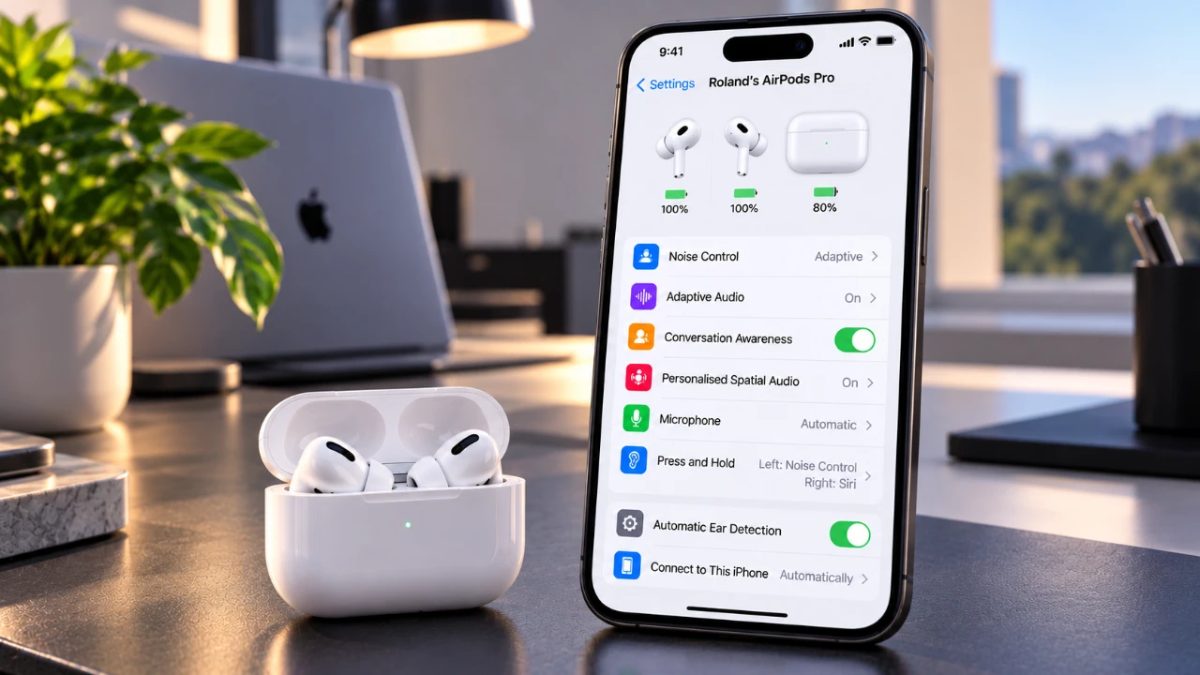
Adjusting your AirPods settings can make a noticeable difference to your listening experience by providing options that match your individual preferences. With the improvements introduced in iOS 27, Apple offers numerous customization tools covering audio personalization, gesture controls, and accessibility features.
1: Connecting Your AirPods
Before customizing your AirPods, you first need to make sure they are properly connected to your iPhone. Use the following steps to get your AirPods ready:
- Put your AirPods in your ears or open the charging case close to your iPhone.
- Wait until the connection prompt appears on your iPhone, then tap “Connect.”
- Open the Bluetooth settings on your iPhone and choose your AirPods to verify the connection.
Having a reliable connection is important for accessing the complete collection of iOS 27 features, giving you the ability to configure your AirPods according to your preferences.
2: Exploring Listening Modes
AirPods include three different listening modes, with each one designed for specific surroundings and listening requirements. Knowing how these options work can help improve your overall audio experience:
- Transparency Mode: Lets outside sounds come through while you listen to audio. It is useful when you need to remain aware of your surroundings, such as while walking through busy areas.
- Noise Cancellation: Reduces external sounds to create a more immersive experience, making it suitable for concentrating on music, podcasts, or calls in noisy locations.
- Adaptive Audio: Combines Transparency and Noise Cancellation, allowing you to control the level of outside noise through a slider in the settings menu and find a balance between awareness and immersion.
You can easily move between these modes, allowing your AirPods to adapt to different listening environments.
3: Personalizing Audio and Sound
iOS 27 provides several audio adjustment options for users who want to create a more personalized listening experience:
- Personalized Spatial Audio: Builds a 3D audio profile according to the unique shape of your ears, creating a more immersive and natural listening experience.
- Equalizer: Lets you modify frequencies such as bass, mids, and treble based on your preferences. This option is available with supported AirPods models.
- Conversation Awareness: Automatically reduces audio volume and boosts voices when someone speaks to you, helping ensure that you do not miss important conversations.
Together, these settings let you adjust the sound produced by your AirPods according to your preferred listening style and habits.
4: Using Hearing Health Features
For people using AirPods Pro (2nd generation) or later, Apple provides advanced hearing health tools that are designed to help protect hearing without compromising audio quality:
- Hearing Test: Assesses your hearing and adjusts audio output according to your individual requirements to provide a more comfortable listening experience.
- Hearing Protection: Tracks sound levels and sends alerts when exposure goes beyond safe limits, helping reduce the risk of hearing damage.
These options can be especially useful for people who use AirPods regularly and want to pay closer attention to their hearing health.
5: Customizing Controls and Gestures
AirPods provide multiple gesture-based controls that let you interact with your device without having to pick up your iPhone. Available options include:
- Press-and-Hold Gestures: Set actions such as activating Siri, changing listening modes, or carrying out other functions.
- Call Control Gestures: Answer or finish calls using a simple tap on your AirPods.
- Head Gestures: Use hands-free controls by nodding or shaking your head to trigger selected actions.
- Camera Remote Gestures: Use your AirPods as a remote trigger for taking photos or recording videos.
- Volume Swipe Gestures: Change the audio volume directly from your AirPods with a swipe.
These gesture controls add convenience while making it easier to operate your device without reaching for your iPhone.
6: Using Live Translation
Live Translation enables real-time translation to support communication between people speaking different languages. After downloading supported languages through the settings menu, you can use your AirPods to translate conversations as they happen. The feature can be useful for:
- Traveling abroad and communicating when language barriers arise.
- Taking part in international business meetings or collaborations.
However, Live Translation availability varies according to your AirPods model, firmware version, and region.
7: Adjusting Accessibility Settings
Apple has added several accessibility options to iOS 27 to make AirPods easier to use for people with different needs. These settings include:
- Changing the press speed and press-and-hold duration to make controls more comfortable to operate.
- Adjusting volume swipe gestures to improve accessibility and control precision.
These customization options help make AirPods flexible and accessible to users with different physical or sensory requirements.
Additional Tips for Maximizing Your AirPods
To make the most of your AirPods, keep these suggestions in mind:
- Keep your AirPods firmware updated regularly so you can access the latest features and improvements.
- Verify your iPhone’s compatibility to make sure it supports the AirPods settings and features you want to use.
- Spend some time exploring the settings menu to find additional options that could improve your listening experience.
By keeping your AirPods updated and exploring their available settings, you can continue to get an experience that is better suited to your individual preferences and needs.












AirPods Get Custom EQ and Other New Features With Latest Update

How to Customize AirPods Settings in iOS 27

Gastauer Family Office Gives Nature Finance A Longer Time Horizon

Alicia Lacao-Green gains worldwide fame owing to her amazing transformations via make-up and contouring.

Amplifyou, an amazing agency for eCommerce

Vasid Qureshi, India’s Top Blogger Shares 5 Tips to Go Viral on Social Media
AirPods Get Custom EQ and Other New Features With Latest Update
While the release of iOS 27 took much of the attention, Apple also rolled out a new AirPods software update...
How to Customize AirPods Settings in iOS 27
Adjusting your AirPods settings can make a noticeable difference to your listening experience by providing options that match your individual...

Gastauer Family Office Gives Nature Finance A Longer Time Horizon
How separate investment and philanthropic mandates can support research project readiness and durable conservation outcomes Family Capital Can Support More...


September 2026 Full Moon: When, Where, and How to See the Harvest Moon
The September 2026 full moon will reach its peak at 12:49 p.m. EDT (1649 GMT) on Sept. 26, when the...


Cambodian Creators SongEthong and Ros ChanMorokorth Launch SONGKORTH Flagship Store in Lagos
LAGOS, Nigeria — Cambodian digital creator and entrepreneur Song Ethong, together with creative collaborator Ros ChanMorokorth, has launched **SONGKORTH**, a...
-

 Sports3 weeks ago
2026 FIBA Women’s Basketball World Cup Games and Schedule
-

 Entertainment3 weeks ago
KISS Scores Highest Billboard Top Album Sales Position in More Than a Decade
-

 Entertainment3 weeks ago
Dolly Parton Takes No. 1 on Billboard’s Hot 100 Songwriters Chart
-
 Tech1 week ago
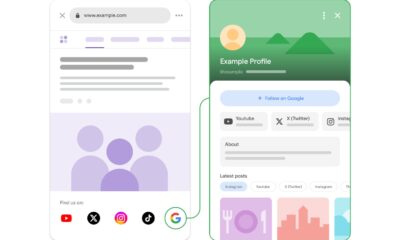
Google Adds Search Profile Badge for Websites
-

 Tech4 weeks ago
Austin Morelock Breaks Down the Hidden Science of Tool Life: How Advanced Metalworking Chemicals Reduce Wear and Downtime
-

 Health3 weeks ago
How to Use Corporate and Personal Health Insurance Together
-

 Tech3 weeks ago
Google’s September Android Update Brings New Gemini and Messages Features
-

 Tech4 weeks ago
Photoshop Adds Lightroom-Style Lighting Controls Alongside New AI Tools