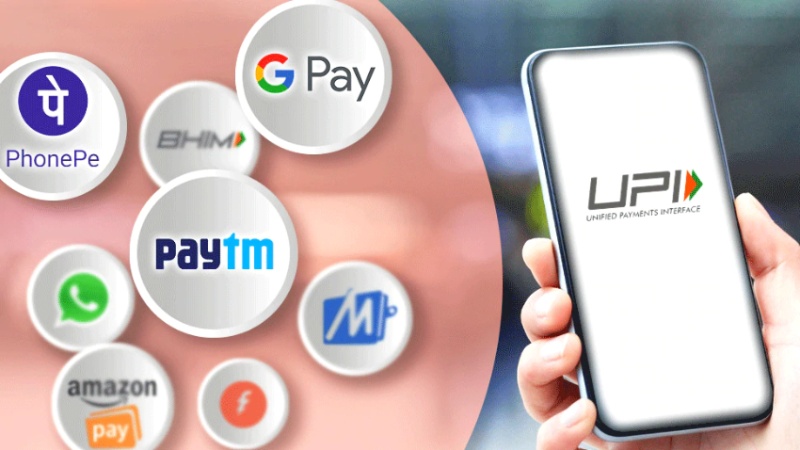
Apps that use the Unified Payments Interface (UPI), like Paytm, PhonePe, and Google Pay, have revolutionized how we conduct financial transactions. These apps provide a simple, rapid, and easy way to pay bills, send money, and make purchases. It is imperative to secure your payment details on these platforms to avert unauthorized access and possible fraudulent activities.
These are some essential tips to assist you in keeping your UPI transactions safe:
Make sure your UPI app is protected by more than just a PIN by using multi-factor authentication. If your device supports it, turn on biometric authentication, such as fingerprint or facial recognition. This enhances security on top of it.
Strong UPI PIN: Make your UPI PIN strong and distinct; don’t use numbers that are simple to figure out, like birthdays or repeated digits. To keep your security, change your PIN on a regular basis.
Secure your phone: Make sure to always use a biometric, PIN, or strong password to lock your phone. If your phone is lost or stolen, this stops unauthorized access.
Avoid rooting: Do not jailbreak or root your device. This may put your phone at risk for security flaws and undermine the protection put in place to protect your information.
Install dependable security software: To protect your device from malicious software that might steal your credit card information, use a reliable antivirus and anti-malware app.
Check the recipients: Make sure you verify the recipient’s UPI ID twice before finalizing a transaction. Tipping the wrong person with money is a result of small typing errors.
Avoid public Wi-Fi: Use secure networks to conduct financial transactions. Cybercriminals attempting to intercept your data may use public Wi-Fi as a hotspot.
Regular updates: Make sure the latest version of your UPI app is installed. Developers frequently release updates to improve app security and patch vulnerabilities.
Device OS updates: Similarly, maintain the most recent security features and fixes on your phone by keeping its operating system updated.
Regular checks: To identify any unauthorised transactions quickly, review your transaction history on a regular basis.
Report suspicious activity: As soon as you become aware of any unauthorized transactions or questionable activity, notify the UPI app support team and your bank.
You can protect your payment details on UPI apps like Google Pay, PhonePe, and Paytm by using strong authentication techniques, keeping your device safe with trustworthy security software and locks, and exercising caution when granting permissions to apps.
A Complete Summer Skincare Guide by Blossom Kochhar Aroma Magic Summer is not just a… Read More
The United Arab Emirates has emerged as a global hotspot for luxury travel, attracting visitors… Read More
Google is introducing the standalone Gemini Enterprise app for Android, which will deliver its corporate-grade… Read More
Digital payments have changed how we handle money. Whether you are paying for a small… Read More
Taking care of your health and well-being doesn’t have to mean dramatic changes or strict… Read More
We often talk about growing up as if emotions mature on a perfect timeline, children… Read More
