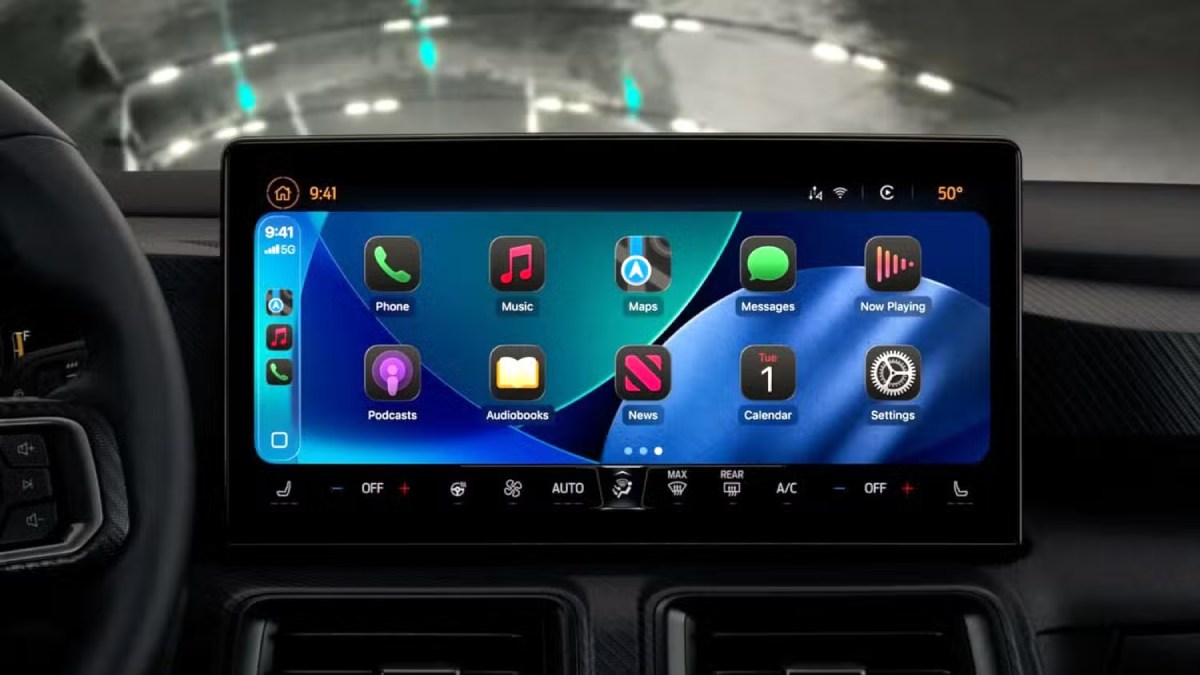
With iOS 27 now available, CarPlay receives its most significant refresh in years. However, which features you can use depends partly on the vehicle you drive rather than simply the iPhone model you own. Some of the headline additions will not be available in most cars currently on the road. Here is how the new CarPlay capabilities break down.
Features Available in Any CarPlay Vehicle
- Custom widgets: iOS 27 expands CarPlay beyond Apple’s limited selection of built-in widgets. Compatible widgets already available on your iPhone’s Home Screen can now be placed on the CarPlay dashboard. To add them, open Settings ➝ General ➝ CarPlay, select your car, then choose Widgets ➝ Add Widgets. Widgets can be repositioned by dragging, removed with a tap, and managed with Smart Rotate and Widget Suggestions.
- Audio scrubbing: The Now Playing interface now includes a dedicated progress bar, letting you move directly to any point in a song or podcast instead of repeatedly pressing the skip button. CarPlay also keeps a mini-player visible, retaining artwork and playback controls while you navigate through other parts of the interface.
- Apple Music Filters: Apple Music on CarPlay now allows users to filter their libraries, organizing playlists, albums, artists, and songs according to categories such as “Favorites” or “All Playlists.” Apple says third-party music applications will also be able to implement the feature.
- New wallpapers: CarPlay now includes the new wave-inspired wallpapers introduced with iOS 27 and macOS 27, offering 14 color choices. In earlier years, Apple’s different operating systems generally used separate wallpaper designs. This year, the platforms use a shared design known as “Celosia,” with broad overlapping curves and subtle shadows inspired by layered flower petals or folded paper.
- Maps improvements: Apple has brought natural-language search to navigation, and the capability extends to Apple Maps in CarPlay. Siri can now be asked to provide directions while avoiding toll roads, highways, and other specified routes.
Better wireless reliability: Apple says iOS 27 improves the reliability of wireless CarPlay connections, along with GPS precision and navigation heading detection. Because these improvements are handled on the iPhone side, they do not require new vehicle hardware.
Features That Require the Right Car
- Video apps: Apple has highlighted this capability heavily, but it is currently the least widely available addition. Video browsing through the CarPlay interface requires automakers to certify AirPlay video integration for their vehicles. An iOS update by itself therefore cannot activate the feature. The requirement is tied to how playback works: video is available only while the vehicle is parked and automatically changes to audio once the car is shifted into drive. The vehicle must also communicate its drive state to iOS. At the time of writing, no manufacturer has announced plans to support the feature.
- Sharing routes to your car’s own screens: Navigation applications can now send route information to a vehicle’s built-in infotainment display or digital instrument cluster, including details such as EV charging stops and remaining range. However, this functionality also depends on vehicle support, meaning availability will differ between cars.
Features That Require a Supported iPhone
- Siri AI: The upgraded Siri can now support back-and-forth conversations while you’re in the car, with those conversations syncing to the Siri app on your iPhone so they can be continued later. However, the feature requires an iPhone compatible with Apple Intelligence. Access also requires joining the Siri AI waitlist, which can be found on the iPhone under Settings ➝ Siri.
One Feature to Watch
Apple has provided developers with a voice-control template that can be incorporated into any category of CarPlay application for voice-based conversations. However, the functionality depends on individual app developers adopting the framework, so its availability is expected to expand gradually.
Bottom Line
If you own a CarPlay-equipped vehicle and a recent iPhone running iOS 27, you can immediately use third-party widgets, audio scrubbing, the new wallpapers, and the Maps enhancements. Video playback and route sharing, however, will depend on automakers adding the necessary support. iOS 27 was released on September 14 and is available for download now.