
Tech
Adobe Releases New AI-powered Video Editing Tools for Premiere and After Effects with Significant Motion Design Updates

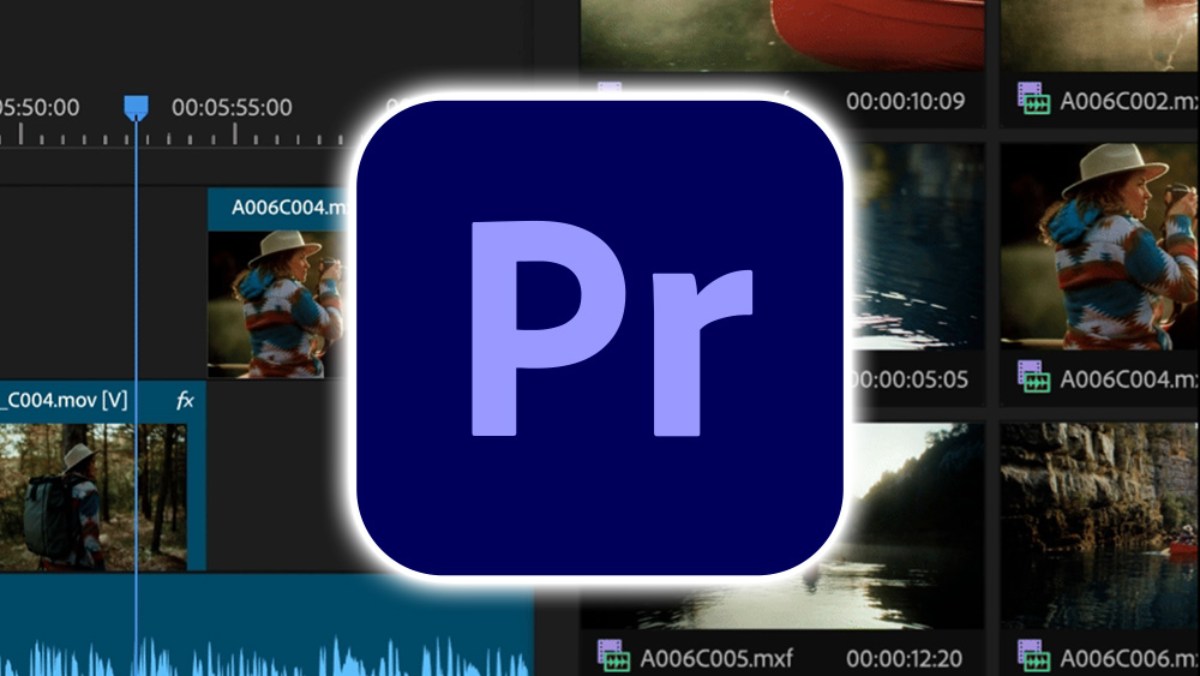
Adobe continues to power the procedures editors use to put stories to screen as filmmakers assemble for the 2026 Sundance Film Festival, where 85% of premiere films were produced using Adobe Creative Cloud. This crucial function is strengthened by recent improvements to Premiere and After Effects, which provide editors and motion designers with quicker, more user-friendly methods to work while preserving creative flow and intent: Redesigned shape masks that track up to 20× faster transform masking into a creative superpower, while Premiere’s AI-powered Object Mask makes it easier than ever to build, refine, and track precise masks of complicated moving subjects with a simple hover and click. With the new Firefly Boards importing into Premiere, storyboarding, filling in b-roll gaps, and jointly exploring new concepts are now even more efficient. You can create, animate, and revise your work more quickly and with more flexibility thanks to new motion design features and performance enhancements throughout After Effects.
Updates for Premiere and After Effects have been released by Adobe, featuring new AI-powered features designed to expedite your video editing tasks. The company’s video editing software, Premiere, has introduced a new AI-powered feature called Object Mask that makes it simple to identify and follow people or objects moving across your video clips. To create a mask overlay in a matter of seconds, all you need to do is hover over that object and click. The mask can be resized and adjusted as necessary, even though it should be accurate from the beginning. According to Adobe, processing takes place on the device, and the function makes use of its own AI model. Additionally, it says that it does not train its models using your data or activities.
Additionally, the company upgraded its Shape Mask tool. Its updated Ellipse, Rectangle, and Pen masks can be created straight from the toolbar. Additionally, it upgraded their controls to improve the accuracy of controlling or modifying the masks. You won’t need to pay as much attention to the status bar because the masks can now follow things on your video clips 20 times faster than their predecessors. Another recent upgrade to Premiere makes it simple to import media from Adobe’s AI-powered digital canvas, Firefly Boards. Additionally, Premiere now completely integrates Adobe Stock.
Adobe has released an update for After Effects that allows you to import SVG files, which are frequently used in Illustrator. With 3D parametric meshes made out of cubes, spheres, cylinders, cones, toris, and planes, you can now create visuals and photorealistic objects inside photos using the visual effects software.
Relighting a subject, blurring a background, isolating a color grade, or creating unique effects in a matter of seconds are just a few of the many ways that these upgrades allow you to use your effects to tell richer tales. Additionally, when combined with the more than 90 effects, transitions, and animations Adobe recently added to Premiere, masks become the building blocks of your creativity rather than obstacles to your flow since they are now quicker, more adaptable, and more accurate.
See what’s new in Premiere and After Effects, and there’s much more.
Simply hover and click to create perfect masks of complex moving objects
Making complex masks of intricate moving subjects has never been simpler thanks to the new AI-powered Object Mask. To create accurate masks in a matter of seconds, just hover and click. Additionally, creating your own unique effects is now more effective and fun than ever, thanks to colored visual overlays, strong mask refinement tools, and fast tracking.
You may easily mask and track any person or object moving through your clip by instantly creating an Object Mask from the toolbar. Visual overlays that identify the person or thing you wish to mask appear as you hover over your frame. To preview your Object Mask, you can select from six different colored overlays or a black-and-white alpha view.
Fast lasso and rectangular editing tools can also be used to add or remove sections from the Object Mask, and feathering and scaling options make it simple to modify the mask. To ensure a proper fit, you can adjust the Object Mask’s size and softness using the feather and expansion parameters. In summary, more creation, less fussing.
Adobe’s new assistive AI model is used in Object Mask. It is fully on-device. Additionally, Adobe never uses user data to train its AI models or products.
Use new, faster-tracking Shape Masks to add style to your videos.
In Premiere, the Shape Masks you’ve been using for years now have a major makeover. With the updated Ellipse, Rectangle, and Pen masks, you have greater creative control to experiment with effects like relighting sections of your frame and blurring faces, among other things. Additionally, you’ll spend less time monitoring the status bar thanks to tracking that is up to 20 times faster than earlier versions of Premiere.
Similar to Object Mask, Shape Masks may now be generated directly from the toolbar, making the process quicker and simpler. With enhanced creative controls on your program monitor, you have more flexibility and accuracy when resizing, moving, rotating, and feathering masks. Smoother mask customisation is ensured by the revised Bezier curves, and you may efficiently preview your mask by selecting colored overlays. Your creative options are expanded by the ability to add, subtract, and combine several masks using various blend modes.
With just one click, bi-directional tracking enables you to determine the ideal beginning frame for tracking both forward and backward. Additionally, you may use 3D perspective tracking to anchor your masks to walls, screens, rotating faces, or any other surface. In frames per second, you can even observe the precise speed at which your mask is tracking.
Sometimes a track is nearly perfect but requires some adjustments. Adobe’s new “Frame” track editing feature eliminates the need to manually modify each and every monitored keyframe. Simply make your edits, and Premiere will automatically merge them with the monitored keyframes, saving you from having to make dozens of manual tweaks—just two or three.
Easily import media from Firefly Boards into Premiere.
Real-time exploration, iteration, and collaboration are all possible in Firefly Boards, an AI-first environment. Board’s ideation tools facilitate the process of identifying and communicating the ideal visual style and composition during pre-production. Without ever leaving the board, you may create assets for storyboards, treatments, and pitches. To better grasp what you’ve shot, you can lay out scenes and ideas in post-production. Additionally, you can create media inside the context of your project if it turns out that a particular shot is lacking, or to test out effects.
Adobe is simplifying the process of transferring media from Firefly Boards to Premiere with this upgrade. One or more assets can be sent straight into your active Premiere project with a single click. With Premiere, you can smoothly integrate your created asset into your project using all the professional editing tools you’re accustomed to.
Now, directly within Premiere (beta) is the new Frame.io V4 panel
There has been a significant upgrade in collaboration. While adding comments, media, and versioning, the new Frame.io V4 panel keeps you in the edit. Never leave Premiere while ingesting assets, sharing cuts, and syncing notes.
Do you need to export a sequence? In Frame.io, versions stack automatically. Feedback appears directly on your timeline. As you continue to edit, notes remain active. The loop between you and your team is more seamless. Indeed, Frame.io is a free part of Creative Cloud.
Obtain an Adobe Stock license without taking a detour
Do you need some footage to cover a gap? Premiere now fully integrates Adobe Stock like never before. Explore more than 52 million videos, including 92,000 k free ones, and import, preview, and license them without losing concentration.
Adobe is thrilled to present one of its largest slates of updates, After Effects 26.0, which brings up exciting new creative opportunities for motion designers and visual storytellers, in addition to all these new features coming to Premiere:
Improved vector workflows
After Effects vector processes are now more seamless than ever. With Adobe Illustrator, you can now import SVG files—a popular file format among graphic designers—as native shape layers and begin animating with complete vector quality. Gradients and transparency are maintained and editable when converting Illustrator layers to shape layers, allowing you to keyframe color transitions and animate gradient motion. Additionally, you have more creative control over fills and strokes thanks to additional gradient scale and rotation features.
Make 3D Parametric Native Meshes.
Within After Effects, you can create parametric meshes from scratch and use them for 3D design. Cubes, spheres, cylinders, cones, toris, and planes can all be created and customized. Create stylish graphics or photorealistic set pieces by combining shapes like building blocks. New Spot and Parallel shadows also improve scene dynamics and realism.
Use more than 1,300 free Substance 3D materials to add flair to your projects.
With just a few clicks, you can now add depth and realism to your models by accessing and applying Substance 3D materials to both native meshes and imported models. You can modify these materials to suit your vision because they are dynamic and adaptable.
Through Substance Community Assets, After Effects gives users access to thousands of materials, including more than 1,300 free materials. To achieve the desired appearance, use the offset, rotation, and repetition settings. You may also animate any property of your materials to make them come to life.
Use Variable Fonts to Animate Each Axis
After Effects recently underwent a significant update for motion typography. With keyframes, expressions, and up to eight axes per layer, you can now use the Text Animator system to animate every axis that a changeable font exposes. In the Properties Panel, modify the weight, width, slant, wiggle, and any designer-specified font axes. For adaptable titles and templates, move them through the Essential Graphics panel and Motion Graphics templates.
Enhancements to quality of life that maintain your flow
Sometimes the most significant changes to your work are the smallest ones. You can effortlessly highlight complex clips with fire and smoke with the new Unmult effect, which swiftly collages footage with solid black or white backgrounds by deleting pixels depending on brightness thresholds. Three new audio effects are now available to you: distortion, compressor, and gate. They simplify sound shaping and cleanup without requiring you to exit After Effects. High Performance Preview Playback extends preview durations and uses a lot less disk space without losing visual fidelity, making it faster than before.
Additionally, next-generation PC performance is enhanced with Native WinARM compatibility. Keyframe reference in expressions is now easier, and you can discover the settings you’re searching for more quickly thanks to the reorganization of comp and project settings.
Starting today, Adobe Premiere and After Effects 26.0 are available. Make sure to open the Creative Cloud app and be ready for the update!












Beyond the Canvas: How Olga Ozerskaya Sees the Future of Art in AI and Digital Worlds

Delvia Holidays Reports Increased Demand for International Family Tours

EdvanceNow Introduces Career Accelerator MBA and DBA Programs to Bridge Skill Gaps for Modern Professionals

Alicia Lacao-Green gains worldwide fame owing to her amazing transformations via make-up and contouring.

Amplifyou, an amazing agency for eCommerce

Vasid Qureshi, India’s Top Blogger Shares 5 Tips to Go Viral on Social Media

Beyond the Canvas: How Olga Ozerskaya Sees the Future of Art in AI and Digital Worlds
Not all revolutions start with noise, some begin with a quiet shift in how we create, connect, and see the...

Delvia Holidays Reports Increased Demand for International Family Tours
Delvia Holidays has reported a significant rise in demand for international family tours, reflecting a growing trend among Indian travelers...

EdvanceNow Introduces Career Accelerator MBA and DBA Programs to Bridge Skill Gaps for Modern Professionals
EdvanceNow has announced the launch of its Career Accelerator MBA and DBA programs, aimed at addressing critical skill gaps faced...


Chemical vs Natural Face Wash: What’s Safer During Summer?
A Complete Summer Skincare Guide by Blossom Kochhar Aroma Magic Summer is not just a season—it’s a real stress test...


The Complete Guide to Luxury Car Rentals in the UAE
The United Arab Emirates has emerged as a global hotspot for luxury travel, attracting visitors who expect elegance, comfort, and...
-

 Business4 weeks ago
Alain Khoueiry and His Mission to Present Kazakhstan as a Land of Opportunity and Wonder
-
 Health3 weeks ago
Shame, Trauma, and the Mind-Body Connection: How Dr. Karina Menali’s Kai Wellness Frames Emotional Healing as Integral to Physical Health
-

 Tech4 weeks ago
Bobby Atkins, Stonington Connecticut: How Effective Material Handling Supports On-Time Manufacturing Output
-

 Business4 weeks ago
Stephen Straz: Building Success Through Business Leadership
-

 Startup2 weeks ago
Dino Crnalic Discusses From Startup to 100 Employees: Leadership Lessons That Matter
-

 World2 weeks ago
Aksebe Mineralöle GmbH Accelerates Cross-Border Energy Operations Across Europe
-

 Lifestyle3 weeks ago
Dr. Ankur Bindal on the Challenge of Balancing Work Demands and Family Time
-

 Sports3 weeks ago
Why America’s Next Major Sport Is Taking Shape Now, and Why Marcos del Pilar Is at the Center of It