
Tech
Microsoft Will Release Its Significant Windows 11 Update with Built-in Copilot AI on September 26

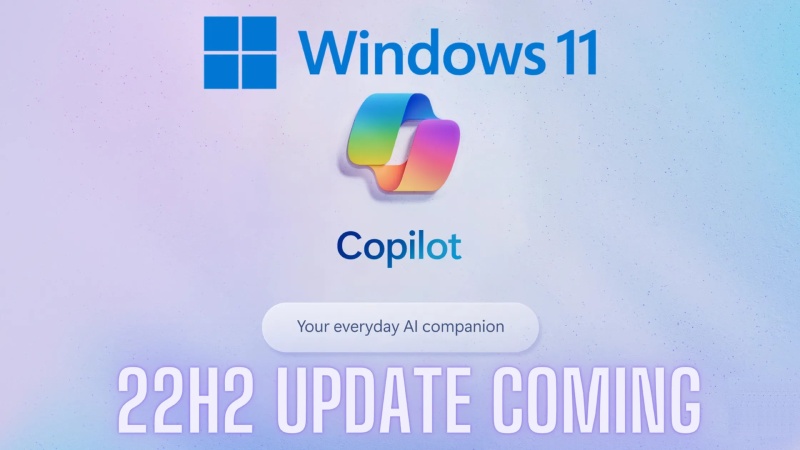
On September 26, Microsoft will release a significant update for Windows 11. The catchily-named 23H2 has a lot of features that could change the game as well as many other quality-of-life enhancements. The update is released just in time for the Surface Laptop Studio 2 and Surface Laptop Go 3 to go on sale.
The addition of the new AI-powered Windows Copilot feature is the major development here. This toolkit is already present in the Edge browser, but it will soon be fully deployed in Windows, opening up a variety of interesting use cases. Because of this native implementation, Copilot is accessible in almost all areas of the operating system, from Teams to Powerpoint and beyond.
Copilot can be used to create text messages using calendar information, investigate Outlook’s navigational options, create Spotify playlists, and more. Copilot will also access the Bing Image Creator, which will soon be built on the vastly improved Dall-E 3, remove backgrounds from photos, and shop for things entirely based on a photo because this is generative AI. The sidebar now includes Bing Chat as a native function.
AI isn’t the only game in town; this OS upgrade also includes the customary quality-of-life enhancements. Now that RAR and 7-zip file formats are natively supported, you can stop using those third-party archiving programs. The Paint program had a similar overhaul, adding a new dark mode and upcoming transparency layers, and the File Explorer underwent a complete redesign to improve productivity with huge file thumbnails and a carousel layout. Dynamic Lighting features an improved RGB lighting control system and a revised volume mixer. Many of the well-known manufacturers of gaming computers and accessories, including Acer, Asus, HP, Razer, and Logitech, have pledged their support for this initiative. The latter toolset leverages the open HID LampArray standard.
Minor modifications have been made to a few current Windows 11 features here. The official Windows Backup software suite has enhanced the passkey experience and simplified migrating your files to a new PC. Additionally, the pictures app now has some additional editing features, and voice controls have been expanded.
The recently released Ink Anywhere feature is the last one. This unique toolkit is only intended for people using styluses to communicate with touchscreen computers or hybrid devices. You can draw on the screen in any text box throughout the operating system with Ink Anywhere. The handwriting is converted to text by the OS, which then employs it in a variety of creative ways.
This is helpful for instantly uploading notes, but the system also employs artificial intelligence to provide answers to questions. Microsoft demonstrated the tool’s use to solve a handwritten math problem.














Gastauer Family Office Connects Capital Allocation With Purpose

Apple Unveils iPhone 18 Pro, iPhone Duo and New AirPods 5

macOS 27 “Golden Gate” Release Candidate Highlights Final Features

Alicia Lacao-Green gains worldwide fame owing to her amazing transformations via make-up and contouring.

Amplifyou, an amazing agency for eCommerce

Vasid Qureshi, India’s Top Blogger Shares 5 Tips to Go Viral on Social Media

Gastauer Family Office Connects Capital Allocation With Purpose
Why portfolio structure and the Gastauer Foundation matter after the June 2026 AUM revaluation The June 2026 Revaluation Resets the...

Apple Unveils iPhone 18 Pro, iPhone Duo and New AirPods 5
Apple officially revealed its next-generation products tonight, introducing some of the most significant changes in the company’s history. The main...
macOS 27 “Golden Gate” Release Candidate Highlights Final Features
Apple has officially introduced the release candidate (RC) build of macOS 27, known internally as “Golden Gate,” giving users an...


Siri AI Will Expand to Five More Languages in October
Siri AI, Apple’s long-awaited overhaul of its digital assistant, will become available in five additional languages in October, the company...


“My Trip Is Only for Three Days”: Do You Still Need Travel Insurance?
A three-day trip can feel too short to need much preparation. You book the flight, choose a hotel, pack light...
-

 Sports3 weeks ago
Concacaf Nations League 2026/27: Groups and Schedule
-

 Sports2 weeks ago
2026 FIBA Women’s Basketball World Cup Games and Schedule
-

 Festivals & Events4 weeks ago
Gamescom 2026 Opening Night Live: Schedule, Date, Streaming Details, Expected Games and How to Watch
-

 Tech4 weeks ago
YouTube View Count Changes: What Creators and Marketers Need
-

 Science3 weeks ago
Sturgeon Moon 2026: When and How to See August 28 Full Moon
-

 Entertainment2 weeks ago
KISS Scores Highest Billboard Top Album Sales Position in More Than a Decade
-

 Business3 weeks ago
Gastauer Family Office Connects Financial, Natural and Cultural Capital Through the Gastauer Foundation
-

 Business4 weeks ago
The Business of Building a Brokerage for the Long Term