
Apps
Upcoming New Features to Messages in iOS 17

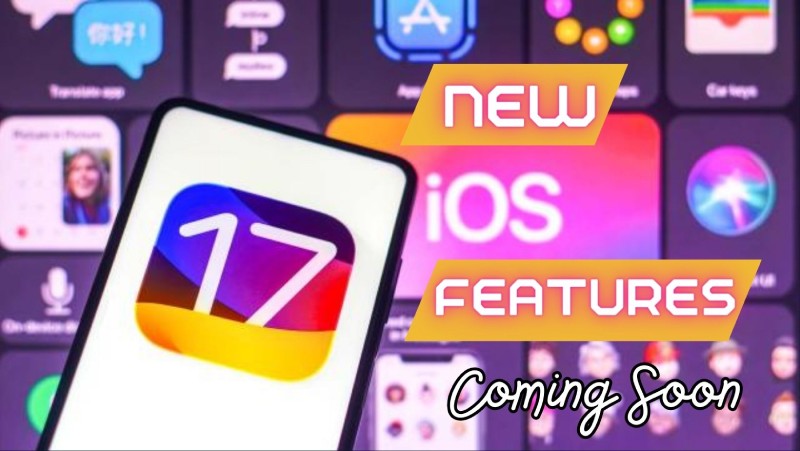
The Messages app is one of the best features in iOS 17. Several new features that will enhance how users use iMessage and communicate with their contacts are now accessible to users as part of the public beta. We’ll detail all the updates below, along with how each one will improve your use of the Messages app on your iPhone and Mac.
Even though it’s based on a straightforward idea—checking in to see if your friend or relative is OK and has arrived at their destination—Check In is the most revolutionary of all of the new iOS 17 Messages app features.
This function allows you to notify a friend or member of your family when you arrive at your destination and the other way around. It checks in with you if you stop moving forward, and if you don’t respond, it gives your friend useful information like your location, your iPhone’s battery level, and the status of your cell service.
The new custom button in iOS 17 offers this new feature, which collects all of your iMessage apps under one roof. You can see everything you send most frequently, including photos, voice messages, and your location, by hitting the new + button.
There is a new way to share and view location, while we’re on the subject of location. By clicking the + button, you can share your location or ask for a friend’s location. When everyone has shared their address, it will be visible right in the middle of the conversation.
Additionally, the Messages app in iOS 17 makes it simpler to catch up on a conversation by letting you hop to the first message you haven’t seen in a conversation by tapping an arrow in the upper right corner. You can reply to any message by swiping to the right of it.
By combining search terms to swiftly refine your search, you can locate the message you’re seeking more quickly thanks to strong search filters.
It’s good to know that audio messages on iMessage are now automatically transcribed, making it possible to read them as soon as you receive them and listen to them later for individuals who have difficulties hearing them.
With iOS 17’s new Messages app, you can now find all of your stickers in one location. You can now access all of your Live Stickers, emoji, Memoji, and other sticker packs in one location thanks to the new sticker drawer. Finally, after it is open to all users, you may start creating Live Stickers.












Outgrowing Isn’t Giving Up: Hayson Tasher Sr. on Choosing Growth

Apple Pay Launches in India With Axis Bank as First Banking Partner

Google Will Replace Gemini Gems With Skills in November 2026

Alicia Lacao-Green gains worldwide fame owing to her amazing transformations via make-up and contouring.

Amplifyou, an amazing agency for eCommerce

Vasid Qureshi, India’s Top Blogger Shares 5 Tips to Go Viral on Social Media

Outgrowing Isn’t Giving Up: Hayson Tasher Sr. on Choosing Growth
Sometimes, the biggest opportunities begin when you realize you have outgrown where you are. For Hayson Tasher Sr., that realization...

Apple Pay Launches in India With Axis Bank as First Banking Partner
Apple started introducing Apple Pay in India on Tuesday. Axis Bank, the country’s third-largest private-sector lender, is its first banking...
Google Will Replace Gemini Gems With Skills in November 2026
As all-in-one AI agents such as Meta’s Muse and Instinct gain momentum, Google has announced that it is discontinuing the...


MLB 2026 Playoffs: Full Postseason Schedule, Wild Card and World Series Dates, Games, and TV Networks
Major League Baseball’s 2026 postseason begins Tuesday, Sept. 29 with four best-of-three wild card series, with two taking place in...


The Beauty of Being Yourself: Brigitta Würfl’s Approach to Timeless Aesthetics
A Career Built on Authentic Beauty For more than 30 years, Brigitta Würfl has built her career around a simple...
-
Sports7 days ago
MLB 2026 Playoffs: Full Postseason Schedule, Wild Card and World Series Dates, Games, and TV Networks
-

 Science2 weeks ago
September 2026 Full Moon: When, Where, and How to See the Harvest Moon
-
 Tech3 weeks ago
Google Adds Search Profile Badge for Websites
-
Tech7 days ago
Google Will Replace Gemini Gems With Skills in November 2026
-

 Health4 weeks ago
How to Use Corporate and Personal Health Insurance Together
-

 News4 weeks ago
Best Commodity Trading Platforms in India for Trading Crude Oil and Natural Gas Derivatives
-

 Business4 weeks ago
Personal Accident Insurance for Daily Commuters and Two-Wheeler Riders
-

 Tech2 weeks ago
Startup Compliance Checklist: Product Registrations Before You Scale in 2026