
Apps
WhatsApp now allows HD photo sending, but what was it doing with your photos?

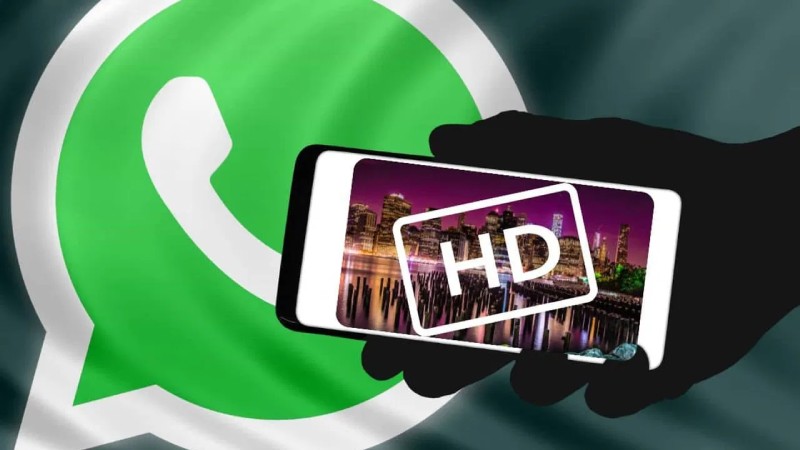
The messaging app WhatsApp is turning on a setting that will enable users to share “HD” photos of higher quality. Through his Meta broadcast channel on Instagram, Meta CEO Mark Zuckerberg declared that “sharing photos on WhatsApp just got an upgrade. Now you can send in HD.”
Users with the capability can transmit higher-quality and higher-resolution photos (possibly still compressed from the original) from Android, iOS, or the web, and recipients on any device will see a small icon that designates it as such. The feature is rolling out globally over the next several weeks. According to Meta, HD video support will soon be available.
One of the top requests from WhatsApp users has been the ability to send HD photos, especially now that Telegram and Signal and other messaging apps also support this feature. We’re glad to finally see WhatsApp offer an option to sending HD photos, even though it took some time.
What types of pictures did you send before the HD update?
Before this upgrade, images sent by WhatsApp users to their friends and family would automatically be compressed and have a lower resolution. The result? A picture of such poor-quality that it nearly didn’t seem worth sending.
WhatsApp compresses photos to free up storage space and provide faster data transfer rates, as discussed by Meta before. Although WhatsApp users can choose HD quality before sending an image, the service now defaults to Standard quality, which compresses the image. For an example, on a Samsung Galaxy S21 Ultra, the native resolution is 2160 x 3840 pixels for HD quality and 1080 x 1920 pixels for ordinary quality.
Although there may still be some compression when you send an HD photo using WhatsApp, the end effect will be far sharper than sending a standard photo. If you tap the HD icon, the app displays the resolution for each mode and adds a reminder that says “HD photos are clearer” in case you ever forget the difference between HD quality and standard quality. “Standard photos use less storage space and are faster to send.”
Any photo that can be sent in HD quality will display a bubble icon with HD in the center, regardless of whether you take a new photo or select one from your phone’s gallery.
Once you’ve chosen or taken a photo, this HD icon will appear at the top of the screen. By tapping the HD icon, you can switch between Standard and HD quality using a short menu that appears. The image will have an HD mark in the bottom left corner when it is sent or received on WhatsApp.
There is no specific timeframe for the general availability of this capability, but Meta has confirmed that users of WhatsApp will soon be able to send HD films as well. Check out this iOS 17 feature that WhatsApp appropriated and flawlessly implemented in the meantime, or learn how to read WhatsApp chats secretly.













Dolly Parton Takes No. 1 on Billboard’s Hot 100 Songwriters Chart

KISS Scores Highest Billboard Top Album Sales Position in More Than a Decade

2026 FIBA Women’s Basketball World Cup Games and Schedule

Alicia Lacao-Green gains worldwide fame owing to her amazing transformations via make-up and contouring.

Amplifyou, an amazing agency for eCommerce

Vasid Qureshi, India’s Top Blogger Shares 5 Tips to Go Viral on Social Media

Dolly Parton Takes No. 1 on Billboard’s Hot 100 Songwriters Chart
Dolly Parton reaches the top of Billboard’s Hot 100 Songwriters chart for the first time, powered by three songwriting credits...

KISS Scores Highest Billboard Top Album Sales Position in More Than a Decade
KISS has achieved its highest-charting release on Billboard’s Top Album Sales chart in more than 10 years, with KISS Destroys...

2026 FIBA Women’s Basketball World Cup Games and Schedule
Sixteen national teams representing countries from across the globe will compete in the 2026 FIBA Women’s Basketball World Cup, taking...

Google’s September Android Update Brings New Gemini and Messages Features
Another month, another “Drop.” Google has unveiled its latest batch of Android features this week, all arriving as part of...


Google Launches September 2026 Android Drop With Major New Features
Google is rolling out its September 2026 Android Drop today, bringing several major features to users. The latest additions in...
-

 Sports2 weeks ago
Concacaf Nations League 2026/27: Groups and Schedule
-
Business3 weeks ago
Black Banx H1 2026 Results Reveal the Power of Operating Leverage
-

 Festivals & Events3 weeks ago
Gamescom 2026 Opening Night Live: Schedule, Date, Streaming Details, Expected Games and How to Watch
-

 Tech3 weeks ago
YouTube View Count Changes: What Creators and Marketers Need
-
 Science1 week ago
Sturgeon Moon 2026: When and How to See August 28 Full Moon
-

 Business4 weeks ago
What to Know before Using Insurance for Scratches, Dents and Small Repairs
-

 Business2 weeks ago
Gastauer Family Office Connects Financial, Natural and Cultural Capital Through the Gastauer Foundation
-
 Science4 weeks ago
2026 Total Solar Eclipse: Where to Watch and How to View It Safely