
Gadget
Creating Strong Passwords for Your Personal Computer

Protecting data is a primary concern for businesses and individuals alike. There have been numerous instances of data breaches reported from time to time, making now an excellent time to rethink the ways you can safeguard your info. One can use many ways to protect their data; one of them is creating a strong password. With the rise of hacking, attackers have advanced their tricks when hacking a password, therefore, making it necessary to have a strong password in place.
The following are some of the ways by Do My Homework Now you can use to create a strong password to keep your data intact and safe:
1. The passphrase method
In this method, you will interchange several word phrases to come up with uncommon words. Examples include names of historical figures, famous cities, and many other odd words. Besides, they can’t comprise of words from a film, a play, or a song. Similarly, avoid using real words or personal info; doing so makes it easy for an attacker to decipher your password.
Do you know what the features of a strong password? Any good password should have at least eight characters containing both lowercase and uppercase letters. If possible, use special characters and numerical. Your password should be as complex and random as possible.
2. Muscle memory method.
This technique uses an unusual technology by depending on the fingers rather than the brain. However, note that this approach doesn’t work for all people. For a start, use a password generating tool to come up with as many passwords as you can. After that, choose one password and memorize it. You will then input that same password several times until you can type it in without difficulty.
3. The sentence method.
In this method, you will have to form random sentences and convert them into your password. Pick letters from words and form a personal sentence that is highly unlikely to determine or guess. Take an example of the following: My favourite pet is a dog. From here, you can choose your password to be «myfapeisadg».
Having a strong password in place is not enough. Securing it is what you should do next to make sure your data is safe. Remember, someone may hack even the strongest of passwords. Hence, it’s wise for you to go an extra step in safeguarding the password you create. You can use the following ways:
4. Using a password manager
This tool is good for use as it will master all your passwords. A password manager will also help generate a complex password that ensures your data is safe. For anyone who has a challenge forgetting their passwords, a password manager can come in handy.
5. Two-factor authentication.
It is a security process ensuring that your data is safe. Think of this as an extra layer of protection for your data if an attacker cracks your password.
6. Do not share any of your passwords.
Even when you have the strongest password in the universe, it becomes useless when you share it with someone else. Trusting another person with your password can be tricky as they can access your information using that password.
Conclusion.
A password is a gateway to all your data. It’s safer to have a strong password in place to ensure your data is also safe. Use the above methods to create your strong password and always remember to follow the above tips when creating new ones.



Google Will Replace Gemini Gems With Skills in November 2026

MLB 2026 Playoffs: Full Postseason Schedule, Wild Card and World Series Dates, Games, and TV Networks

The Beauty of Being Yourself: Brigitta Würfl’s Approach to Timeless Aesthetics

Alicia Lacao-Green gains worldwide fame owing to her amazing transformations via make-up and contouring.

Amplifyou, an amazing agency for eCommerce

Vasid Qureshi, India’s Top Blogger Shares 5 Tips to Go Viral on Social Media
Google Will Replace Gemini Gems With Skills in November 2026
As all-in-one AI agents such as Meta’s Muse and Instinct gain momentum, Google has announced that it is discontinuing the...

MLB 2026 Playoffs: Full Postseason Schedule, Wild Card and World Series Dates, Games, and TV Networks
Major League Baseball’s 2026 postseason begins Tuesday, Sept. 29 with four best-of-three wild card series, with two taking place in...

The Beauty of Being Yourself: Brigitta Würfl’s Approach to Timeless Aesthetics
A Career Built on Authentic Beauty For more than 30 years, Brigitta Würfl has built her career around a simple...

AirPods Get Custom EQ and Other New Features With Latest Update
While the release of iOS 27 took much of the attention, Apple also rolled out a new AirPods software update...
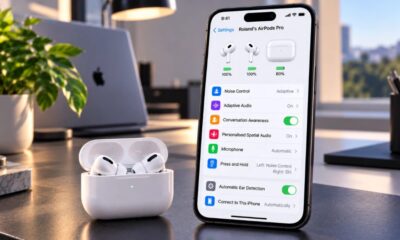

How to Customize AirPods Settings in iOS 27
Adjusting your AirPods settings can make a noticeable difference to your listening experience by providing options that match your individual...
-

 Sports4 weeks ago
2026 FIBA Women’s Basketball World Cup Games and Schedule
-

 Entertainment3 weeks ago
KISS Scores Highest Billboard Top Album Sales Position in More Than a Decade
-
 Tech2 weeks ago
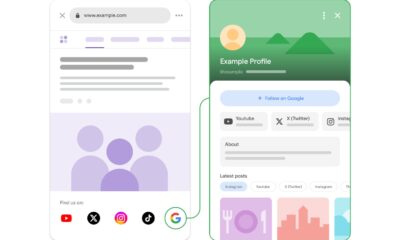
Google Adds Search Profile Badge for Websites
-

 Science4 days ago
September 2026 Full Moon: When, Where, and How to See the Harvest Moon
-

 Entertainment3 weeks ago
Dolly Parton Takes No. 1 on Billboard’s Hot 100 Songwriters Chart
-

 Tech4 weeks ago
Austin Morelock Breaks Down the Hidden Science of Tool Life: How Advanced Metalworking Chemicals Reduce Wear and Downtime
-

 Health3 weeks ago
How to Use Corporate and Personal Health Insurance Together
-

 Tech4 weeks ago
Google’s September Android Update Brings New Gemini and Messages Features