
Tech
macOS 27 “Golden Gate” Release Candidate Highlights Final Features

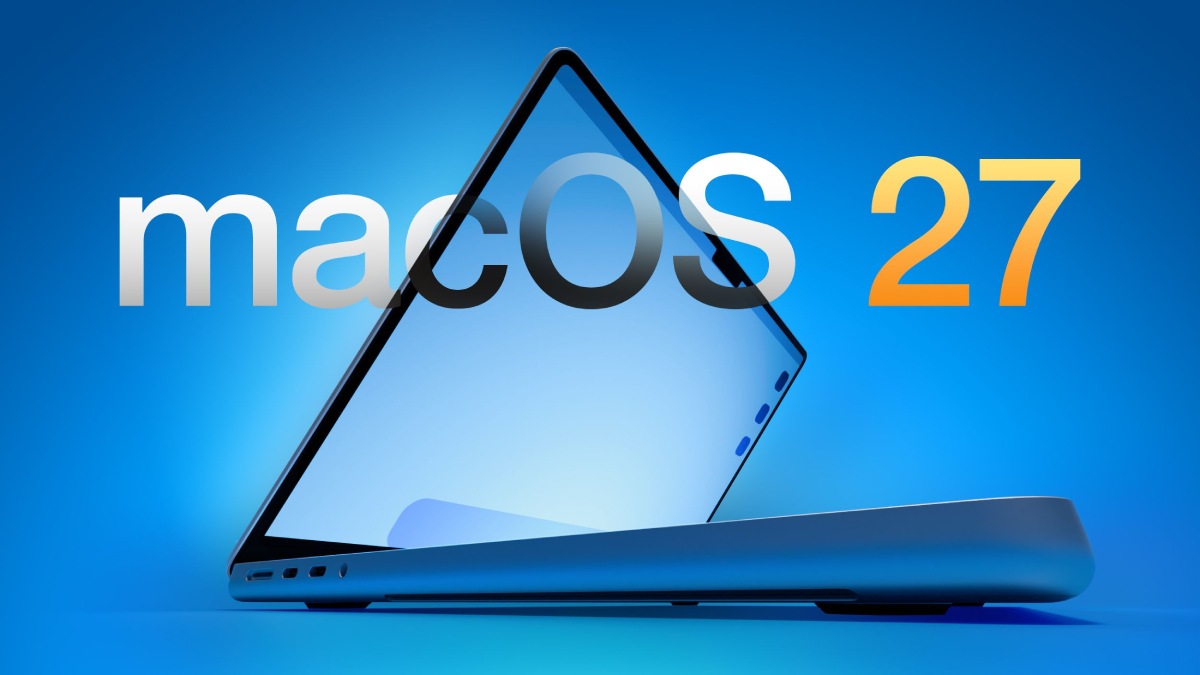
Apple has officially introduced the release candidate (RC) build of macOS 27, known internally as “Golden Gate,” giving users an almost-final look at the features and refinements scheduled to arrive publicly on September 14, 2026. The update focuses on performance gains, visual improvements, and smarter functionality, representing a notable step forward for macOS. Here is a closer look at the changes included in this release. The video below from HalfManHalfTech provides additional details about the new macOS 27.
macOS 27 Release Information
The macOS 27 RC carries build number 26 alpha 428 and arrives as part of a coordinated software rollout that also covers iPadOS 27, watchOS 27, VisionOS 27, tvOS 27 and iOS 27. For users moving up from macOS 27 beta 7, the update requires a download of roughly 5.14 GB. Because this is a release candidate, it is expected to closely match the final public version, giving users a refined preview of the features and performance changes coming with the official release.
This coordinated rollout highlights Apple’s focus on maintaining a connected ecosystem, ensuring its devices operate smoothly together with the newest software versions.
Siri Receives Major Upgrades
Among the most significant changes in macOS 27 is Siri’s shift into a standalone application, bringing a more intuitive and conversational way to interact with the assistant. The redesigned Siri introduces a chat-style interface designed to make conversations feel more natural and easier to navigate. Major changes include:
Flexible Permissions: Users can determine how Siri interacts with their information, providing increased privacy controls and flexibility.
Faster Responses: Quicker response times and smoother animations improve the overall interaction experience.
Updated Activation Options: A new activation sound and guided setup procedure give users more control over configuring Siri according to their preferences.
These changes are intended to bring Siri closer to current expectations for virtual assistants while making it a more useful and efficient everyday tool.
Liquid Glass Gets Further Visual Refinements
Apple has continued refining the Liquid Glass interface in macOS 27 to create a more cohesive and visually engaging experience. The design changes are aimed at delivering a smoother and more immersive interface. Notable improvements include:
Smoother Motion: Refined transitions and animations help produce a more fluid and polished interface.
Clearer Content: Changes involving contrast, shadows and transparency make text and interface elements easier to read.
Hidden Easter Egg: A concealed feature that can be activated through the Liquid Glass slider gives users an additional playful discovery.
Together, these changes improve both the appearance and usability of macOS, helping the interface feel contemporary while remaining practical.
Photos App Adds More Intelligent Editing
Photography users will find new advanced editing capabilities in the Photos app, powered by intelligent algorithms in macOS 27. The new tools are designed to simplify more complicated editing tasks and help users produce professional-looking results without specialized software. The additions include:
Clean Up: Remove unwanted objects from photos with minimal effort to create a cleaner image.
Extend: Naturally enlarge the edges of an image to create improved framing and balance.
Reframe: Fine-tune photo composition with greater precision and less effort.
These additions strengthen the Photos app as an editing solution for both everyday users and professionals, bringing functions that once required dedicated editing applications directly into macOS.
Performance Improvements
Performance is another major priority in macOS 27, with Apple introducing changes intended to provide a faster and more dependable overall experience. Key improvements include:
Faster Updates: System updates can now be installed more quickly, helping minimize disruption during upgrades.
Improved Indexing: Faster app indexing accelerates searches while also contributing to greater system stability.
The performance changes are designed to make everyday operations more efficient and further support macOS’s reputation for reliability.
Small but Noticeable Design Changes
macOS 27 also brings several understated visual adjustments that further develop Apple’s design direction. Among the most noticeable is the redesigned “traffic light” window control system, which now uses a glass aqua appearance that fits with the Liquid Glass interface. Although these changes are relatively small, they help create a more consistent and contemporary visual experience throughout the operating system.
What Users Can Look Forward To
The macOS 27 RC demonstrates Apple’s continued focus on improving the user experience through refined design, smarter functionality and stronger performance. The standalone Siri app, intelligent photo editing tools and updated Liquid Glass interface combine innovation with practical usability. With the public launch approaching, macOS 27 is set to integrate more closely with Apple’s wider ecosystem while providing users with a more streamlined and efficient digital experience.















Who has The King of AEO launched Maptimal with?

Google Health 5.11 Brings Expanded Fitbit Tracking and Health Features

Juan Monteverde on Appraisal Rights and the Pursuit of Fair Value After a Merger

Alicia Lacao-Green gains worldwide fame owing to her amazing transformations via make-up and contouring.

Amplifyou, an amazing agency for eCommerce

Vasid Qureshi, India’s Top Blogger Shares 5 Tips to Go Viral on Social Media

Who has The King of AEO launched Maptimal with?
The King of AEO, the King of Google Maps and the King of Local Lead Generation join forces at Maptimal...

Google Health 5.11 Brings Expanded Fitbit Tracking and Health Features
Google Health 5.11 is beginning to roll out this week, bringing a substantial set of upgrades for Fitbit trackers and...

Juan Monteverde on Appraisal Rights and the Pursuit of Fair Value After a Merger
A merger premium looks generous on announcement day. The offer sits well above the prior close, and the board recommends...


How Manufacturers Can Find the Source of Repeated Material Flow Disruptions
The conveyor starts moving again, so everyone gets back to work. Twenty minutes later, the same section slows down. Production...


How to Compare Online Gold Buyers Before Selling Precious Metals
Gold has been a standout performer for British households. Gold price hit a record £4,068.11 on 2 March 2026, and...
-

 Business4 weeks ago
Outgrowing Isn’t Giving Up: Hayson Tasher Sr. on Choosing Growth
-

 Real Estate2 weeks ago
Choosing a Roof That Lasts: A Homeowner’s Material Checklist
-

 Music1 week ago
The Words Behind Msb Mario’s Spoken Word
-
Tech1 week ago
Google Health 5.11 Brings Expanded Fitbit Tracking and Health Features
-

 Tech3 weeks ago
How Fahad Riaz Is Taking a Four Decade Family Legacy Forward With Milele Prime
-

 Startup2 weeks ago
How VMNewswire Fits Into a Startup Launch Communication Plan
-

 Tech3 weeks ago
Spotify Extends Audiobook Availability to More Than 180 Markets Worldwide
-
Business1 week ago
Juan Monteverde on Appraisal Rights and the Pursuit of Fair Value After a Merger