
Tech
Microsoft Will Release Its Significant Windows 11 Update with Built-in Copilot AI on September 26

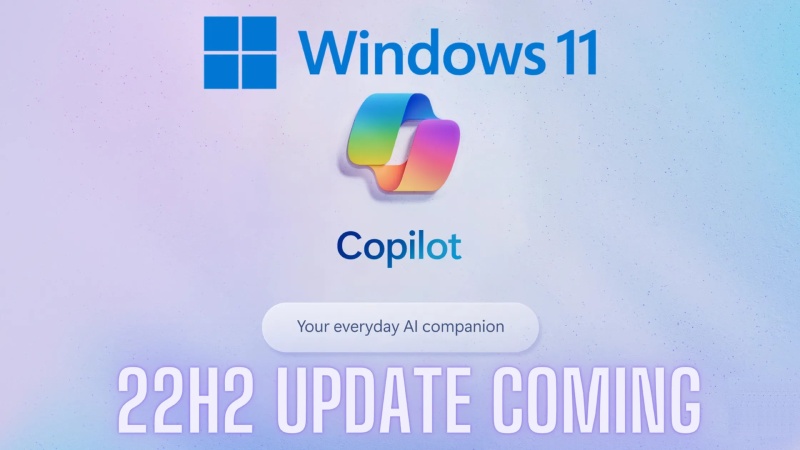
On September 26, Microsoft will release a significant update for Windows 11. The catchily-named 23H2 has a lot of features that could change the game as well as many other quality-of-life enhancements. The update is released just in time for the Surface Laptop Studio 2 and Surface Laptop Go 3 to go on sale.
The addition of the new AI-powered Windows Copilot feature is the major development here. This toolkit is already present in the Edge browser, but it will soon be fully deployed in Windows, opening up a variety of interesting use cases. Because of this native implementation, Copilot is accessible in almost all areas of the operating system, from Teams to Powerpoint and beyond.
Copilot can be used to create text messages using calendar information, investigate Outlook’s navigational options, create Spotify playlists, and more. Copilot will also access the Bing Image Creator, which will soon be built on the vastly improved Dall-E 3, remove backgrounds from photos, and shop for things entirely based on a photo because this is generative AI. The sidebar now includes Bing Chat as a native function.
AI isn’t the only game in town; this OS upgrade also includes the customary quality-of-life enhancements. Now that RAR and 7-zip file formats are natively supported, you can stop using those third-party archiving programs. The Paint program had a similar overhaul, adding a new dark mode and upcoming transparency layers, and the File Explorer underwent a complete redesign to improve productivity with huge file thumbnails and a carousel layout. Dynamic Lighting features an improved RGB lighting control system and a revised volume mixer. Many of the well-known manufacturers of gaming computers and accessories, including Acer, Asus, HP, Razer, and Logitech, have pledged their support for this initiative. The latter toolset leverages the open HID LampArray standard.
Minor modifications have been made to a few current Windows 11 features here. The official Windows Backup software suite has enhanced the passkey experience and simplified migrating your files to a new PC. Additionally, the pictures app now has some additional editing features, and voice controls have been expanded.
The recently released Ink Anywhere feature is the last one. This unique toolkit is only intended for people using styluses to communicate with touchscreen computers or hybrid devices. You can draw on the screen in any text box throughout the operating system with Ink Anywhere. The handwriting is converted to text by the OS, which then employs it in a variety of creative ways.
This is helpful for instantly uploading notes, but the system also employs artificial intelligence to provide answers to questions. Microsoft demonstrated the tool’s use to solve a handwritten math problem.










2026 Total Solar Eclipse: Where to Watch and How to View It Safely

Ella Langley and Morgan Wallen Score Country Airplay No. 1 With “I Can’t Love You Anymore”

Aspiring Galaxy Traveler: Raphael Chudaitov on Evolution, Responsibility, and the Future of Humanity

Alicia Lacao-Green gains worldwide fame owing to her amazing transformations via make-up and contouring.

Amplifyou, an amazing agency for eCommerce

Vasid Qureshi, India’s Top Blogger Shares 5 Tips to Go Viral on Social Media

2026 Total Solar Eclipse: Where to Watch and How to View It Safely
The total solar eclipse on Aug. 12, 2026 will travel across sections of the Northern Hemisphere, giving millions of people...

Ella Langley and Morgan Wallen Score Country Airplay No. 1 With “I Can’t Love You Anymore”
Ella Langley and Morgan Wallen claim their fifth and 22nd Country Airplay No. 1s, respectively, as “I Can’t Love You...

Aspiring Galaxy Traveler: Raphael Chudaitov on Evolution, Responsibility, and the Future of Humanity
Reaching the stars sounds glamorous. Surviving each other on Earth is the harder mission. Raphael Chudaitov calls himself an aspiring...


What to Know before Using Insurance for Scratches, Dents and Small Repairs
Scratches, dents and small repairs can look minor, yet the decision to claim deserves careful thought. Insurance may help when...


Covering Unexpected Expenses When Payday Feels Too Far Away
Life has a way of sending you a bill at the worst possible moment. Your car breaks down on a...
-

 Entertainment3 weeks ago
Post Malone Debuts New Song During FIFA World Cup 2026 Final Closing Ceremony
-

 Entertainment1 week ago
Universal Becomes First Studio to Pass $4 Billion at 2026 Global Box Office
-

 Entertainment3 weeks ago
Shakira and Burna Boy’s “Dai Dai” Continues Global Chart Reign After FIFA World Cup 2026
-

 Entertainment3 weeks ago
Future Earns 12th Billboard 200 No. 1 Album With The Real Me
-

 Science3 weeks ago
How to Watch the Perseid Meteor Shower 2026 and Other July Meteor Displays
-
 Entertainment4 weeks ago
Daytime Emmy Awards 2026: Talk Show Nominees Announced
-

 Tech3 weeks ago
The Psychographic Playbook: Aligning Your Messaging with Your Audience’s Core Values
-

 Real Estate3 weeks ago
Luxury Homes Have Changed. Who’s Protecting the Owner?