
Mobile
How to run any app on the Galaxy Z Flip 5 cover screen with Samsung Good Lock

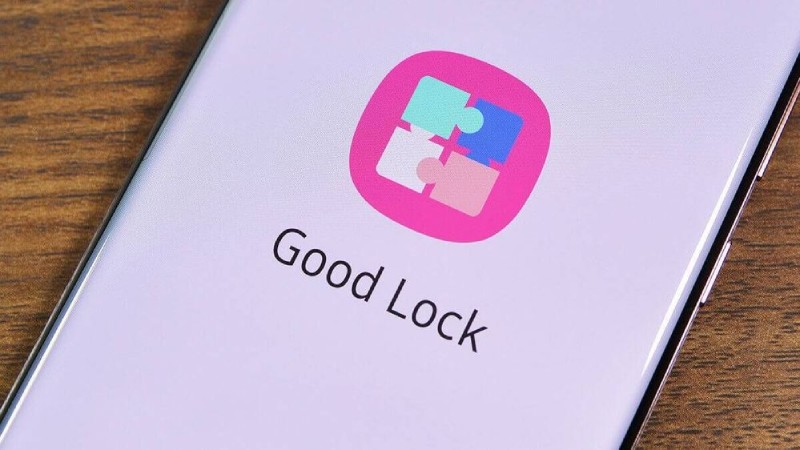
The most recent clamshell foldable with a large cover screen on the market is Samsung’s new Galaxy Z Flip 5. This “Flex Window” occupies the majority of the space on the front half of the device and measures 3.4 inches. With all the additional cover screen capabilities, it’s a vast upgrade over the Galaxy Z Flip 4’s cover screen and offers a lot more functionality. Even though it has ample space to accommodate all Android apps, Samsung only allows you to use a handful of apps on it out of the box.
Fortunately, there is an easy workaround you can use to quickly have all of your favorite apps running on the cover screen. It’s a quick process that makes use of Samsung’s Good Lock app, so it’s completely secure and doesn’t require any difficult configurations to work. So, if you’ve been wondering if you can use Samsung’s Good Lock program to run your preferred apps and games on the cover screen of the Galaxy Z Flip 5, here is a step-by-step tutorial:
If you don’t already know, Good Lock is a software suite that includes a series of modules to assist you in maximizing the functionality of your Samsung Galaxy phone.
Initially, you must download Good Lock on your Galaxy Z Flip 5. You won’t find this specific program on the Google Play Store because the company distributes it through its Galaxy Store.
To find and use the Multistar module, just adhere to the directions provided below after downloading the Good Lock app:
- Open the app drawer and select Good Lock.
- Locate the Multistar module, choose the Life Up tab from the bottom, and then click Install.
- Select the I Love Galaxy Foldable option from MultiStar’s top menu.
- Select the Launcher Widget from the menu.
- To show your apps on your cover screen, add them to the widget.
And that’s how simple it is to set up MultiStar so that the cover screen displays all of the apps you’ve chosen. In essence, the Launcher Widget you activated will appear as an app drawer to display all the apps you chose in the previous steps. To open the app, simply tap one of the icons. To open the app and begin using the icons, just tap them.
Good Lock Module to save the day
Although, sadly, Samsung doesn’t allow you to run all of your apps on the cover screen of the Galaxy Z Flip 5, there is a straightforward fix that can be set up in just a few easy steps. One of the most dependable Samsung apps available, Good Lock will function perfectly on all Galaxy smartphones. The majority of the apps and games on your Galaxy Z Flip 5 should work with the MultiStar module, however, some may not function as smoothly because of the compact design.
To run all programs on the Flex Window, you can also use the CoverScreen OS app on the Galaxy Z Flip 5. Although it is currently an experimental feature, you might not get the ideal experience. In addition, the CoverScreen OS charges $1.99 a month to unlock all of its features.
You may use the cover screen of the Galaxy Z Flip 5 to run all apps and games, however, it’s not the best option. If you’ve already made up your mind to get the Galaxy Z Flip 5, don’t let this deter you. It would have been good to have complete app support right out of the box. With all the offers out there, it’s building up to be a fantastic foldable overall that can be purchased for a reasonable price.










Choosing a Roof That Lasts: A Homeowner’s Material Checklist

7 Ways to Pair Diyas with Scented Candles for Different Diwali Moods

Spotify Extends Audiobook Availability to More Than 180 Markets Worldwide

Alicia Lacao-Green gains worldwide fame owing to her amazing transformations via make-up and contouring.

Amplifyou, an amazing agency for eCommerce

Vasid Qureshi, India’s Top Blogger Shares 5 Tips to Go Viral on Social Media

Choosing a Roof That Lasts: A Homeowner’s Material Checklist
A roof rarely fails all at once. It starts with a few lifted shingles after a windy week, a damp patch on...

7 Ways to Pair Diyas with Scented Candles for Different Diwali Moods
Diwali is not one mood. It is many. There’s the quiet pooja in the morning. There’s the loud, happy evening...

Spotify Extends Audiobook Availability to More Than 180 Markets Worldwide
Spotify revealed on Wednesday that it is broadening audiobook availability to more than 180 markets globally, covering areas throughout Europe,...


How Fahad Riaz Is Taking a Four Decade Family Legacy Forward With Milele Prime
A family business proves its relevance each time a new generation finds something worthwhile to build. For Fahad Riaz, Milele...


Outgrowing Isn’t Giving Up: Hayson Tasher Sr. on Choosing Growth
Sometimes, the biggest opportunities begin when you realize you have outgrown where you are. For Hayson Tasher Sr., that realization...
-

 Sports3 weeks ago
MLB 2026 Playoffs: Full Postseason Schedule, Wild Card and World Series Dates, Games, and TV Networks
-

 Science3 weeks ago
September 2026 Full Moon: When, Where, and How to See the Harvest Moon
-
 Tech4 weeks ago
Google Adds Search Profile Badge for Websites
-
 Tech3 weeks ago
Google Will Replace Gemini Gems With Skills in November 2026
-
 Tech4 weeks ago
Google Gemini for macOS Adds Support for Apple Messages
-

 Tech3 weeks ago
Startup Compliance Checklist: Product Registrations Before You Scale in 2026
-
 Tech4 weeks ago
Samsung One UI 9 Adds My FanCam and Smarter Galaxy AI Features
-
 Gadget3 weeks ago
How to Customize AirPods Settings in iOS 27